Curlens
Search and resume your Cursor CLI chat sessions by description
PythonSQLiteCursor CLI
The Problem
You use Cursor CLI across multiple projects. After a few days, you have dozens of chats scattered across different workspaces. You remember discussing “flink job optimization” somewhere, but:
- Which folder was it in?
- What was the chat called?
- How do you resume it?
Cursor stores all chats internally using MD5 hashes of workspace paths - not human-readable at all!
The Solution
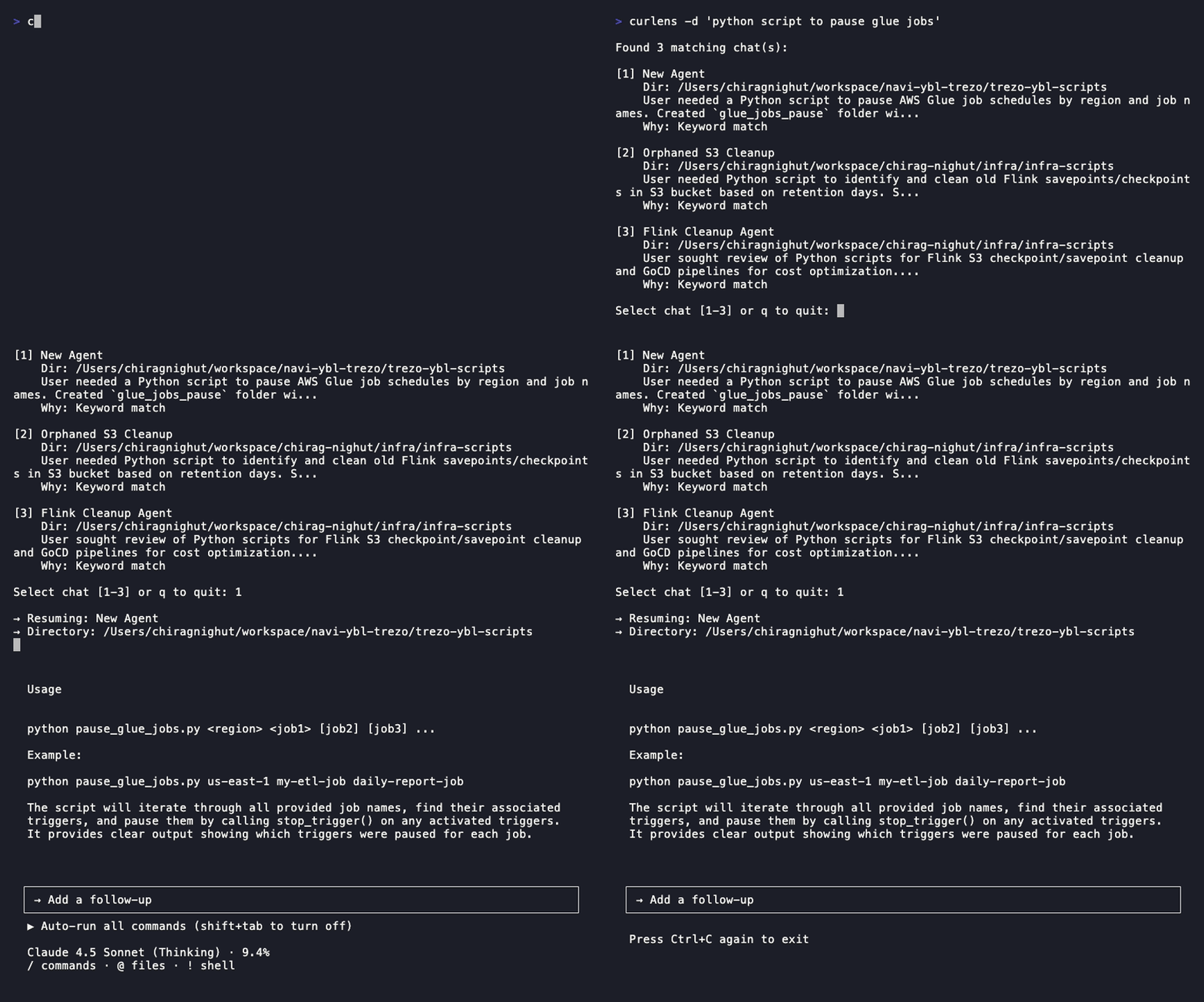
Curlens indexes your chats with AI-generated summaries and lets you search by description:
$ curlens -d "flink optimization"
Found 2 matching chat(s):
[1] Flink Job Tuning    Dir: /Users/you/workspace/data-pipeline    Optimized Flink checkpointing and parallelism settings...
[2] Stream Processing Debug    Dir: /Users/you/workspace/analytics    Fixed watermark issues in Flink streaming job...
Select chat [1-2]: 1→ Resuming: Flink Job Tuning
How It Works
- Hooks fire after Cursor CLI actions (shell commands, file edits, MCP calls)
- Summarizer reads chat messages and generates summaries via LLM
- Search ranks results by keyword match (or LLM with
--smartflag) - Resume selected chat with
cursor agent --resume
Install
pip install curlensFeatures
- Backfill existing chats with
curlens --backfill - Auto-index new chats via Cursor hooks
- Smart search with LLM ranking (
--smartflag) - Configurable models and search window